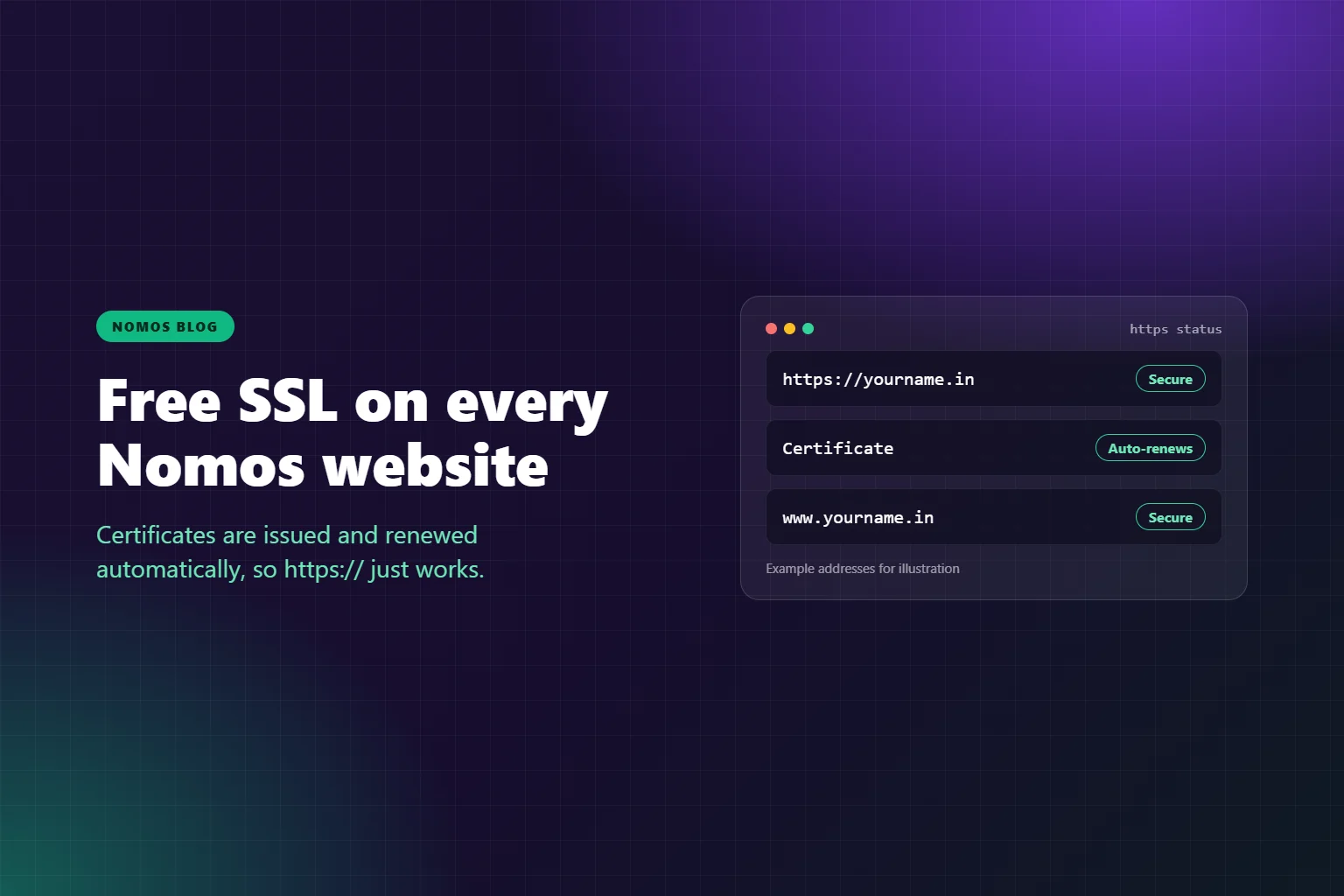
Every Nomos website plan includes free SSL certificate hosting: Nomos issues and renews certificates automatically, so your website works over https:// without you buying or installing anything. Once your domain is connected and shows as Active, Nomos issues the certificate for you.
This guide explains what an SSL certificate does, why HTTPS matters, how Nomos issues and renews certificates, how visitors can tell a site is using HTTPS, and what to check if it isn’t working.
What does an SSL certificate do?
An SSL certificate, also called a website security certificate (and technically a TLS certificate today), is a small digital file that proves your website is really your website. It also lets the browser and your server set up an encrypted connection.
In practice, that does two jobs:
- Encryption. Information sent between a visitor and your site, such as a contact form or a login, travels scrambled, so others on the network can’t read it.
- Identity. The certificate confirms that the browser is talking to the domain it asked for.
When a site uses a certificate, its address starts with https:// instead of http://. MDN’s guide to HTTPS explains that HTTPS is the encrypted version of HTTP, secured with TLS.
Why HTTPS hosting matters for your website
HTTPS isn’t only for online shops. Every business website benefits from it:
- Trust. Browsers mark sites without HTTPS as not secure. Consequently, visitors may leave before they read a word.
- Privacy. Enquiry forms, logins and checkout pages carry personal details that deserve protection.
- Modern features. Many browser features and third-party tools expect a secure connection.
For these reasons, HTTPS hosting is now the default, not an extra. On Nomos, it’s on from day one.
Free SSL certificate hosting on Nomos: how it works
Free SSL certificates are included with every Nomos website plan, from Micro to WP Business. According to the Nomos fact sheet, Nomos issues and renews them automatically. Nomos uses Let’s Encrypt, a free and widely trusted certificate authority.
How the certificate is issued
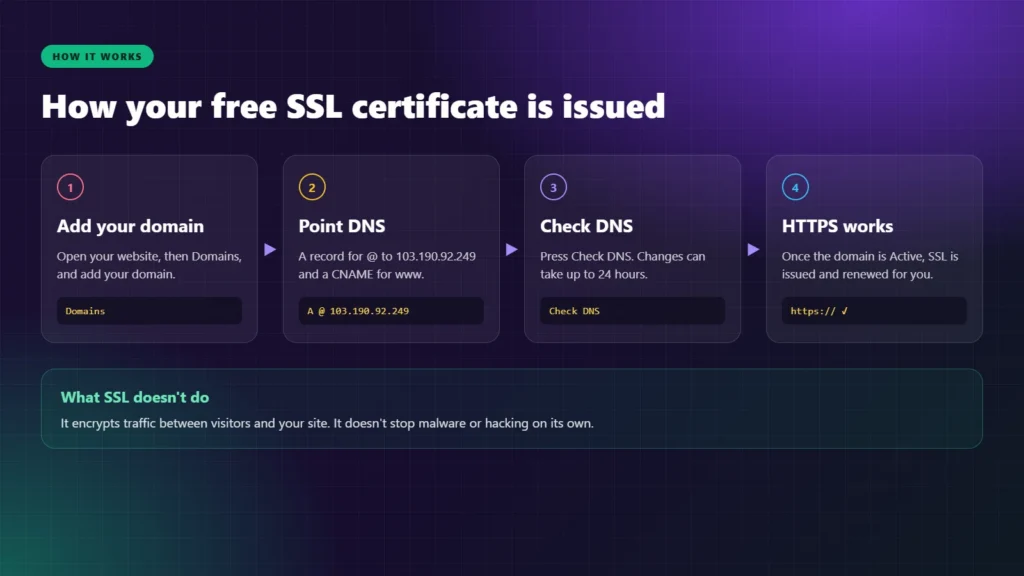
You don’t request the certificate yourself. Instead, Nomos issues it when you connect your domain:
- In your Nomos control panel, open your website, then Domains, and add your domain.
- At the company where you bought the domain, add an A record for @ pointing to 103.190.92.249 and a CNAME for www pointing to your domain.
- Back in the panel, press Check DNS.
- Once the domain shows as Active, Nomos issues the free SSL certificate automatically and https:// works.
Our full guide to connecting your domain to Nomos covers every step, including what to do if your provider doesn’t allow a CNAME for www.
Automatic SSL renewal
Certificates don’t last forever, so they need regular renewal. On Nomos, automatic SSL renewal is built in. Nomos renews every certificate for you, so there’s no expiry date to track and nothing to reinstall.
That’s different from your domain name, which you do need to renew yourself each year on Nomos.
Every domain on your website gets SSL
Free SSL covers every domain you connect to a website. A website can have up to 20 domains and subdomains. So if you connect both yourname.in and yourname.com, each one works over HTTPS.
What about VPS hosting?
The automatic free SSL described here is part of Nomos web hosting and WordPress hosting. A Nomos VPS, by contrast, is a plain Linux server that you set up yourself, so you manage certificates on it. Our guide to deploying a Python app on a VPS shows one way to serve an app over HTTPS.
How visitors can identify HTTPS
Visitors don’t need to know anything technical to spot a secure connection. They can check two things:
- The address starts with https://.
- The icon next to the address in the browser shows the connection is secure. Clicking it opens more details about the site’s certificate.
Google’s Chrome help explains how to check if a site’s connection is secure and what each icon means.
What to check if HTTPS isn’t working
If your website still shows as not secure, or https:// doesn’t load, the cause is almost always the domain connection. Here’s what to check, based on Nomos’s own guidance:
- Is the domain Active? Open your website’s Domains page and press Check DNS. Nomos issues the certificate only once the domain shows as Active.
- Has DNS had time to update? DNS changes usually show up within minutes, but can take up to 24 hours depending on your registrar.
- Are there old A records? Remove any other A records for @ and www. An old A record sends some visitors to the wrong server.
- Is there an AAAA record? Remove any AAAA (IPv6) records for the same names. An AAAA record stops Nomos from issuing the SSL certificate.
You can also ask Nomi, the AI assistant in your control panel, to run a health check. It checks whether SSL is working, along with whether your homepage is up, loading speed, disk space and recent errors. If you’re still stuck, email support@nomos.wtf.
What SSL does not do
An SSL certificate protects data while it travels between visitors and your site. However, it doesn’t make a website secure on its own. For example, it won’t stop malware, remove a vulnerable plugin or protect a weak password.
That’s why Nomos plans also include other protections, such as malware scanning, an IP blocker and automatic backups. For instance, see how to block unwanted IP addresses on Nomos. Above all, keep WordPress, themes and plugins updated.
Frequently asked questions
Is SSL really free on Nomos?
Yes. Free SSL certificate hosting is included with every Nomos website plan, with no setup fee. You can compare plans on the Nomos pricing page.
Do I need to buy an SSL certificate in India for my business site?
No, not on a Nomos website plan. Every domain you connect gets a free SSL certificate, which Nomos issues and renews automatically.
Do I need to renew my SSL certificate?
No. Nomos renews certificates automatically.
Why does my site show “not secure” after I connected my domain?
Usually the domain isn’t Active yet, DNS is still updating, or an old A or AAAA record is in the way. Check the list above.
Get HTTPS on your website
Connect your domain in your Nomos control panel and Nomos issues your free SSL certificate automatically. Not on Nomos yet? Compare web hosting plans; every plan includes free SSL, backups and business email.